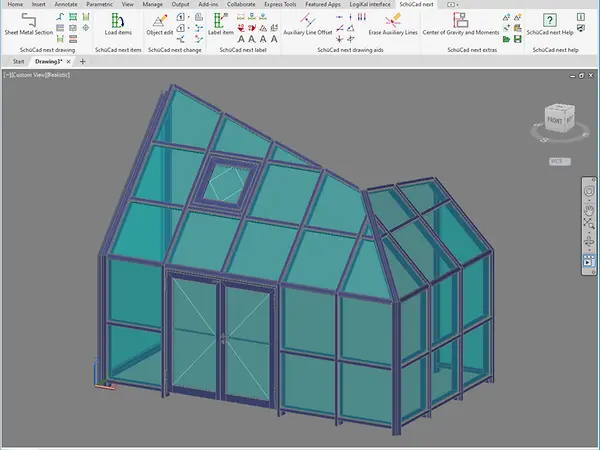
SchüCad next – The proven CAD solution for sophisticated requirements

SchüCad next is the enhanced 2D/3D design software based on AutoCAD® – perfect for metal fabricators with sophisticated requirements in terms of flexibility and functionality. Additional design commands, an extensive components library and the integrated "User-defined design (3D)" SchüCal function enables the efficient implementation of complex geometries.

The benefits for you at a glance

14_icon-Entscheidung-black

Enhanced design commands such as “User-defined designs”

14_icon-Entscheidung-black

Access to extensive components library

14_icon-Entscheidung-black

3D export of unit views and profiles

14_icon-Entscheidung-black

Use of third-party applications and plug-ins possible

14_icon-Entscheidung-black

Available as a complete package with AutoCAD® or as an add-on for existing AutoCAD® installations

When is it worth upgrading SchüCad basic to SchüCad next?

It's worth upgrading to SchüCad next as soon as you are regularly using CAD functions in your day-to-day business and your designs require more than the standard functions. The software enables 2D and 3D constructions, supports the efficient creation of detailed workshop drawings and offers a direct interface to SchüCal – including the “User-defined design (3D)” function. You can also benefit from the option to use third-party AutoCAD® plug-ins, integrate your own LISP programs or use SchüCad next together with AutoCAD® and Inventor®. SchüCad next really comes into its own with complex projects, individual solutions or with multiple CAD workstations.

Additional features such as regular article updates or the uniform user interface ensure high efficiency and compatibility in the entire planning process. The integrated Schüco article library with pre-defined profile sections saves time during the design. The powerful interface means that exploded drawings in 2D and 3D as well as profile preparation diagrams can also be copied over from SchüCal .


“With SchüCad next, we have the perfect mix of AutoCad functions and an extensive range of functions that are required to create workshop drawings, attachments to building structure and documentation plans.“

Mark Lüke, Managing Director of Metallbau Maroldt GmbH

Our CAD portfolio

Discover our other CAD tools:

Contact & Support

We have specialised, reliable contacts on hand to help you with any questions, problems or suggestions. We look forward to hearing from you and helping you with training and personalised support.

Good to know

You can find more information on our CAD tools, and in particular installation instructions and software downloads, in My Workplace.