CAD – Simple. More efficient. Plan with Schüco CAD tools

Modern metal fabrication projects are becoming ever more complex. Huge time pressures, increasing technical requirements and heterogeneous digital interfaces are posing daily challenges to specifiers. The CAD tools from Schüco are tailored precisely to these requirements. They support the entire design process, enable direct integration of current article data and ensure maximum data consistency. For efficient, error-free processes – from planning and fabrication through to installation.
Which CAD tools does Schüco offer?

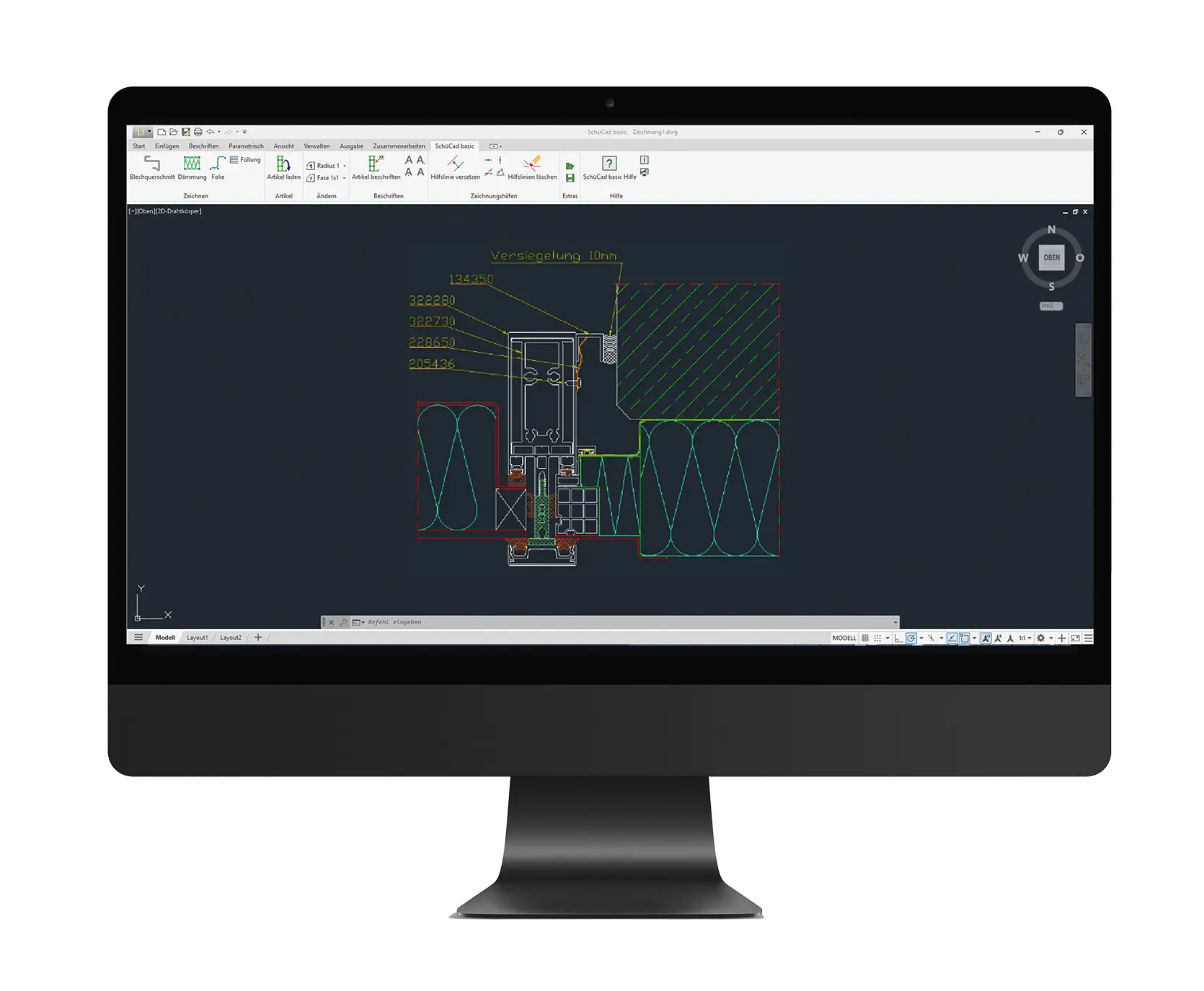
SchüCad basic

The solid basis for your planning tasks. With clear user guides, a direct interface with SchüCal and all the key basic functions.

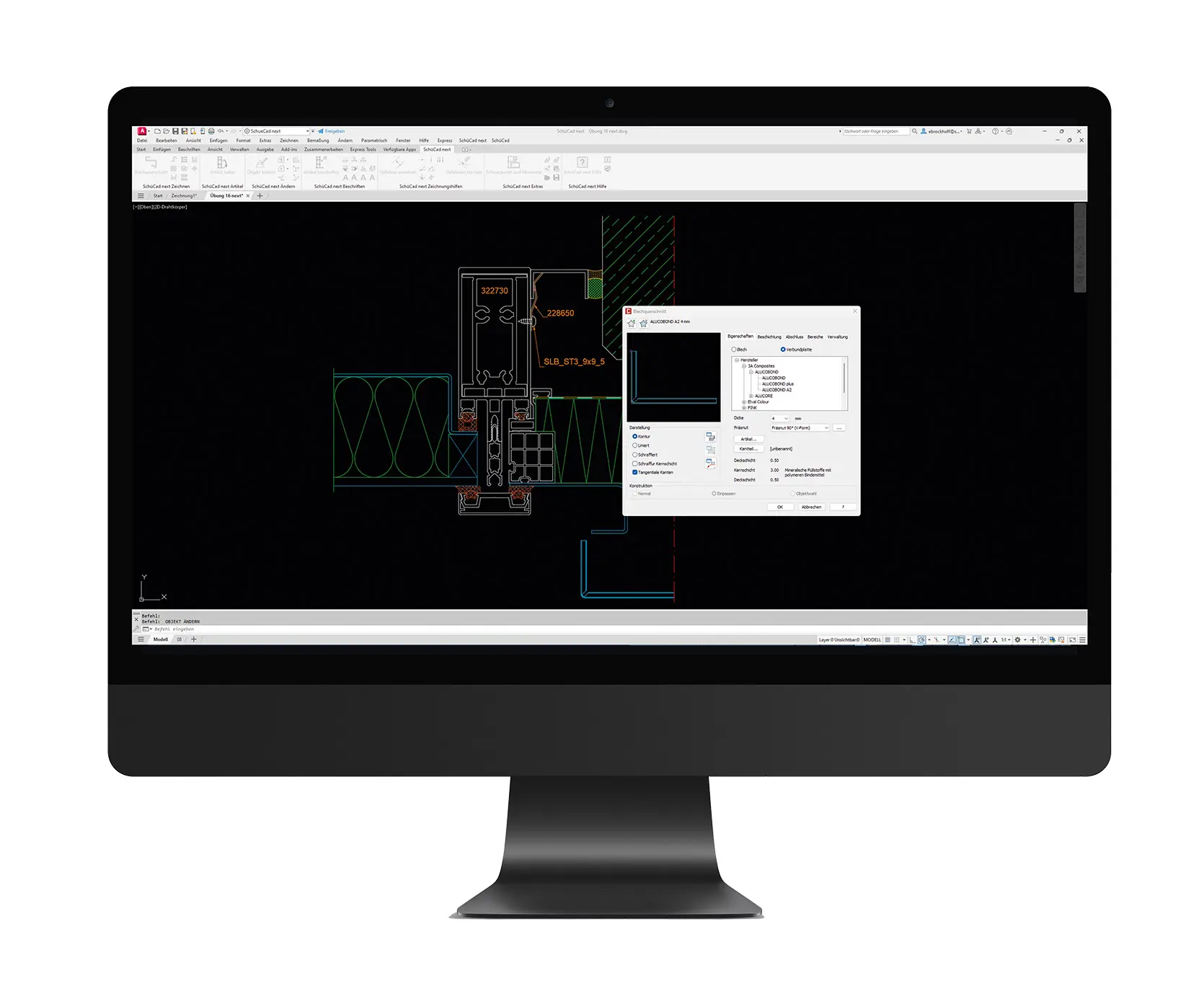
SchüCad next

The perfect tool for efficient metal fabrication planning – thanks to direct data transfer from SchüCal . Intuitive operation and flexible adaptation to meet individual project requirements.

ATHENA Complete |SE

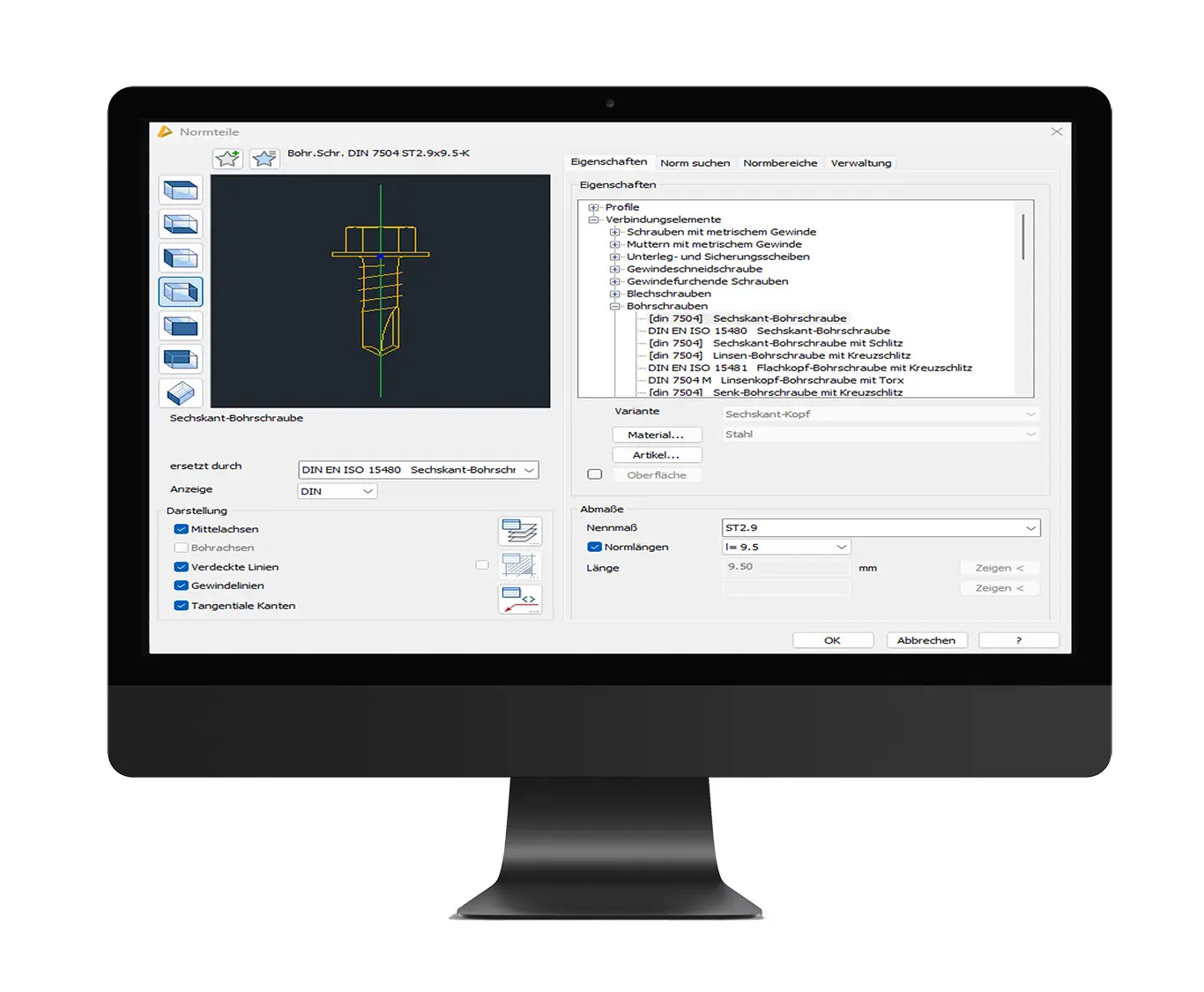
The premium solution with powerful CAD functionality for metal fabrication. Including standard parts library, sheet metal processing, powerful calculation tools for building physics, and much more.

Digital_Litvinas (5)

„Our CAD solutions are precisely tailored to the needs of metal construction. With SchüCad basic, SchüCad next and ATHENA Complete |SE, we offer fully integrated tools that enable maximum efficiency, precision and future-proofing throughout the entire design process." 
 

Linas Litvinas, Product Manager, Schüco Digital GmbH.

What makes our CAD tools practical?

If you regularly work with Schüco systems, we recommend combining SchüCal with a CAD tool. It improves the quality of results, saves time and ensures a continuous digital workflow – from planning and fabrication through to installation:

Acquire projects

CAD tools enable precise, customer-oriented planning – with supporting visualisation

Avoid errors

Meaningful drawings help to identify planning and production errors at an early stage

Utilise knowledge

Existing CAD skills within the team can be used and expanded for specific projects

Simplify installation

Processes on the building site can be optimised – e.g. with clearer instructions and better preparation

Prepare data

CAD tools can be used to prepare and deliver data in the form that the customer ultimately wants or expects

Why a CAD tool from Schüco?

Software, support, training, regular updates, flexible licensing: With Schüco CAD solutions, you choose a seamlessly integrated CAD solution and get everything from a single source. Perfect for companies who value continuous processes, easy operation and professional results:

Efficient planning and fabrication

Interfaces in the Schüco CAD tools enable the direct transfer of fabrication-related information such as profile preparation diagrams or glass plans from SchüCal . The integrated article library and the option to export 2D and 3D data in one step will save you a great deal of planning and implementation time.

Neuer Inhalt (1)

User friendliness and access aids

Our tools are suitable for novices and professionals alike. Free training, e-learning and the wide range of support services help with this. A uniform user interface, guidelines and ready-made layers make it even easier to get started and switch over, so that less experienced users can quickly become productive too.

Förderzusage

Flexibility and compatibility

Schüco CAD solutions can be easily adapted, support different product levels at various workstations, while the uniform interface makes teamwork and the switch between programs easier. The user interface is the same across all Schüco CAD products. This makes it easier to switch between programs and improves team collaborations.

Neuer Inhalt (1)

Up-to-date integration

Regular updates keep the software up to date, while the different licensing options offer flexibility. The seamless connection between SchüCal and the Schüco CAD tools ensure an integrated, future-proof planning solution.

FAQs

What is CAD software and why is it important in metal fabrication?

CAD means Computer Aided Design – i.e. programs which can be used to create technical drawings and 2D or 3D models on the computer. It is important in metal fabrication because modern projects are very complex and require high precision. CAD can be used to digitally plan, visualise and check constructions before they are sent for fabrication. Specifiers can identify errors at an early stage, compare options and communicate more efficiently with customers and fabrication teams. Overall, CAD speeds up planning, improves quality of results and ensures a continuous flow of data from the design through to installation.

Which CAD tools does Schüco offer and what do they do?

Schüco offers three CAD solutions: SchüCad basic, SchüCad next and ATHENA Complete |SE.

All three tools are seamlessly integrated into the Schüco software environment and cover different needs for beginners through to professionals.

What is SchüCad basic?

SchüCad basic is the solid basis for precise 2D drawings and standard constructions, with an intuitive AutoCAD®-based interface and direct connection to SchüCal.

What is SchüCad next?

SchüCad next extends the available options to include 3D designs and additional professional functions – for example, it offers enhanced design commands, an extensive components library and even takes on complex 3D constructions from SchüCal (User-defined design).

What is ATHENA Complete |SE?

ATHENA Complete |SE is a premium solution: a stand-along CAD program with the widest range of functions, including industry-specific tools (such as those for sheet metal processing, standard parts and building physics calculations) and fully integrated SchüCal interface.

What is SchüCal?

SchüCal is the calculation and order system software from Schüco for window, door and façade units. It enables metal fabricators to plan and calculate Schüco systems quickly and precisely – including materials lists, structural analyses, glass dimensions and fabrication data. SchüCal is also directly linked to the Schüco CAD tools and forms the digital heart of the planning process.

Why should I use a CAD tool in addition to SchüCal?

The combination of SchüCal with a CAD tool from Schüco will significantly improve your planning processes. You will receive more precise and meaningful drawings that will help you to identify planning and fabrication errors at an early stage. In addition, you can visualise projects, which provides clear advantages in customer acquisition and coordination. You can make use of and build on existing CAD skills within your team. Overall, you will save time and create a continuous digital workflow – from the initial plans and fabrication through to installation.
What makes the Schüco CAD tools different to standard CAD software?

Schüco CAD tools are specially tailored to metal fabrication and the Schüco range of systems, which is what makes it stand out from general CAD software. They offer direct interfaces with SchüCal and an integrated Schüco article library, which allows profiles and components to be transferred to the design without having to use a different medium. Unlike many standard solutions, with Schüco not only do you get software, but also extensive support, training and regular updates – all from a single source. What's more, the user interface is uniform across all Schüco CAD programs, which makes it easier to switch between tools and collaborate in a team.

Who is SchüCad basic aimed at and what are the benefits?

SchüCad basic is perfect for metal fabrication companies looking for a simple, cost-effective introduction to CAD planning. The program is particularly attractive for smaller companies or CAD novices, as it offers intuitive, AutoCAD®-based operation and does not require additional knowledge of CAD. SchüCad basic can take care of all basic 2D design tasks and, thanks to the direct interface to SchüCal and the access to the Schüco article library, always has the latest system data.

When is it worth upgrading SchüCad basic to SchüCad next?

It's worth upgrading SchüCad basic to SchüCad next as soon as your design tasks regularly require more than the standard functions. SchüCad next enables both 2D and 3D designs and is perfect if you need to design more complex geometries or create more detailed workshop plans. The direct connection to SchüCal (including the “User-defined design” 3D function) and enhanced commands will save you a great deal of time with demanding projects. If you have multiple CAD workstations or want to integrate additional tools such as AutoCAD® plug-ins and your own LISP programs, SchüCad next offers the flexibility you need.

Do I need an AutoCAD® licence to use SchüCad basic, SchüCad next or ATHENA Complete |SE?

No. SchüCad basic is a stand-alone, all-in-one CAD solution and does not require a separate AutoCAD® licence. SchüCad next can either be purchased as a complete package including AutoCAD® licence or integrated as an add-on in an existing AutoCAD® installation. In both cases, no additional purchase is necessary. ATHENA Complete |SE runs fully independently – with no need for an AutoCAD® or SchüCad licence.

Who is ATHENA Complete |SE suitable for and what benefits does it offer?

ATHENA Complete |SE is aimed at metal fabrication and façade construction professionals with exacting standards in terms of precision and productivity. This premium CAD solution is specially designed for complex projects and offers an enormous range of functions – from enhanced design commands and a special standard parts library through to integrated tools for sheet metal processing, 3D designs and building physics calculations.

When is it worth upgrading SchüCad next to ATHENA Complete |SE?

It's worth upgrading SchüCad next to ATHENA Complete |SE whenever you need more functions and automation than what SchüCad next can offer. ATHENA has significantly enhanced design options – such as a special 3D sheet metal processing tool, which can be used to create precise 3D edges and output them as a circumference, section detail or 3D model. In addition, ATHENA offers a very extensive standard parts and components library (profiles, screws, anchors, etc. with stored materials and standards), so that all standard parts are available without additional downloads.

Are Schüco CAD tools also suitable for CAD novices?

Yes, the Schüco CAD tools are suitable for both CAD novices and experienced users. All programs have a uniform, user-friendly interface and offer aids such as snap lines and prepared layer structures that help you get started. In addition, Schüco offers a wide range of support services. From free training and e-learning courses through to expert support, so that new users quickly gain confidence in using the software. Users with existing CAD knowledge will immediately feel at home too thanks to the familiar AutoCAD® environment of SchüCad basic and SchüCad next .