Downloads
Are you looking for a brochure on a particular Schüco product? Discover our brochures or use our Schüco apps and services.

Are you looking for a brochure on a particular Schüco product? Discover our brochures or use our Schüco apps and services.
Schüco EasyCare – Pflegeanleitung für Kunststoff-Fenster und -Türen
Download (pdf, 471,3 KB)
Kunststoff-Haustüren – Exzellente Wärmedämmung, beste Qualität und variantenreiches Design
Download (pdf, 1,4 MB)Barrierefreie Türschwelle – Für Haus-, Nebeneingangs- und Fenstertüren
Download (pdf, 407,4 KB)Schüco EasyCare – Pflegeanleitung für Kunststoff-Fenster und -Türen
Download (pdf, 471,3 KB)
Schüco EasySlide – PVC-U lift-and-slide doors for patios, balconies and conservatories
Download (pdf, 2,9 MB)Schüco EasyCare – Pflegeanleitung für Kunststoff-Fenster und -Türen
Download (pdf, 471,3 KB)
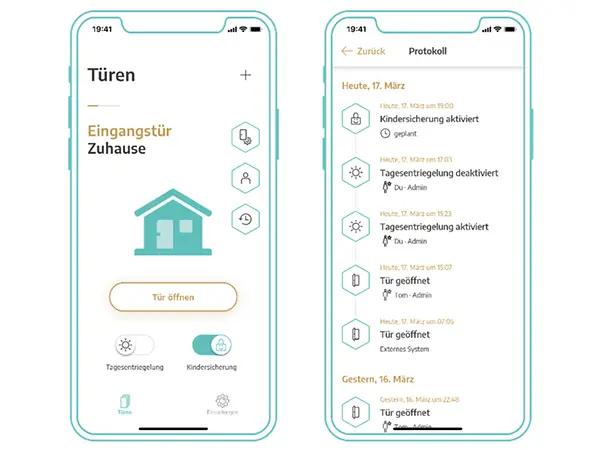
Easy opening and operation of the door, with no training or complicated online solutions required to grant user rights. The app allows the door to be opened without a key. Access authorisation for additional users can be granted by simply adding fingerprints. Another practical aspect is that, when supplied, the door can be opened using the app even without access authorisation.
Other functions in the app:
• Flexible access authorisation
• One-time key
• Child lock
• Day release function
• Log
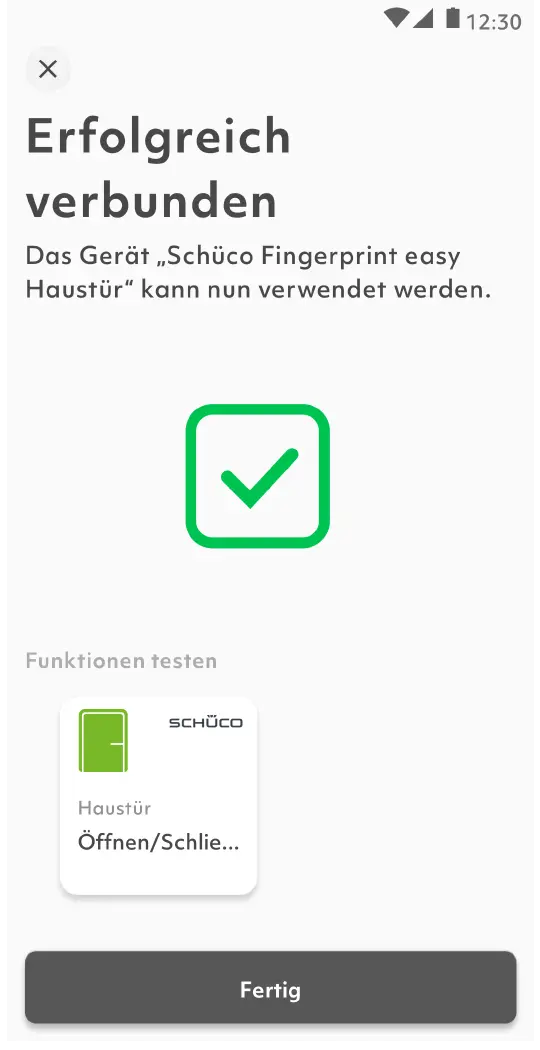
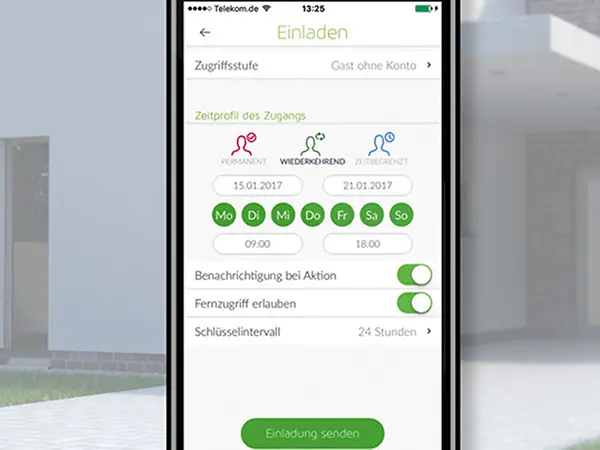
The Fingerprint Easy system can be effortlessly administered via the corresponding Bionyx app, where access rights can be granted and different roles can be assigned. The access log provides an overview of the activities from the last 30 days. In addition, smart functions such as push notifications and remote opening via the app make it flexible and easy to use.
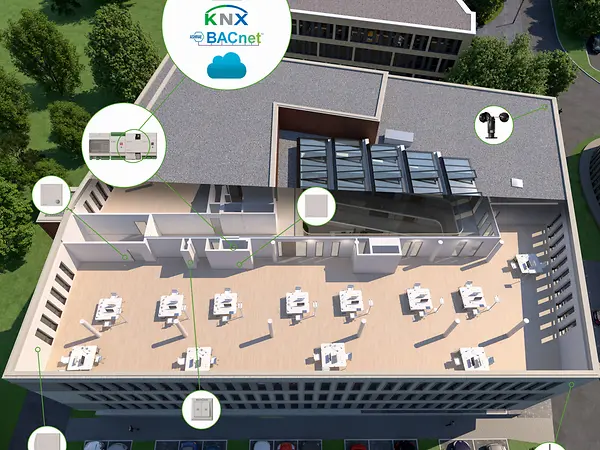
The Schüco Building Skin Control app makes it possible to manage, set and control the Building Skin Control system quickly and intuitively. This means, for example, that TipTronic SimplySmart units can be controlled individually or as a group with movement commands. Comfort functions such as timed ventilation or positioning can also be activated quickly and easily on a smartphone. Stored automatic functions are managed via the app and their parameters can be changed. The integrated management overview provides an overview of the system at any time. If required, the overview can be adjusted here using the filter function. The push notifications function also provides information of changes to the system while on the move.
Overview of the Building Skin Control app functions:
The Schüco Automation Manager (Art. No. 263245) and IP Gateway (Art. No. 263302) components are required to use the app.
With the Schüco BlueCon app, you can manage and control your Schüco BlueCon module quickly and intuitively.
Overview of the Schüco BlueCon app functions: