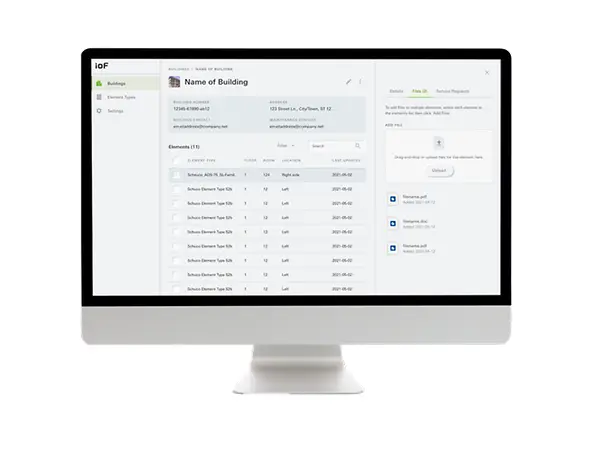
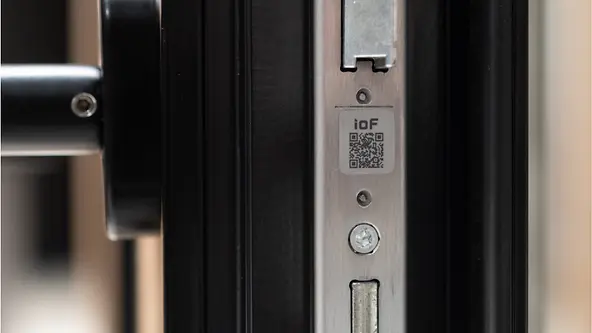
IoF ID - the digital twin for every unit

With the Internet of Façades and the IoF ID, Schüco is turning windows, doors, façades and sliding systems into components of digital building envelopes. The small tag gives every unit in a building its own digital identity. All of the data, information, documents and service messages relating to a unit are stored on it and will be available throughout the duration of the unit's useful life. The IoF ID can be used in aluminium, PVC-U or steel – even retrospectively.

Serial equipment

Simplify the digitalisation of your building envelope with the new serial Schüco IoF ID.

Co-branding

Boost your brand presence and service requests with a customised Schüco IoF tag.

_DSC9000

The Schüco Internet of Façades enables transparency and efficiency by providing access to precise material and maintenance data, reduces maintenance effort using inventory data collection and contributes to sustainability by transparently showing the carbon footprint of a unit. In addition, the IoF simplifies maintenance and repair thanks to the interaction of IoF ID, IoF App and IoF Manager, enabling paperless management of projects, units, documents and certificates.

Marcel Kyeck – Product Manager, Schüco

A perfect trio:

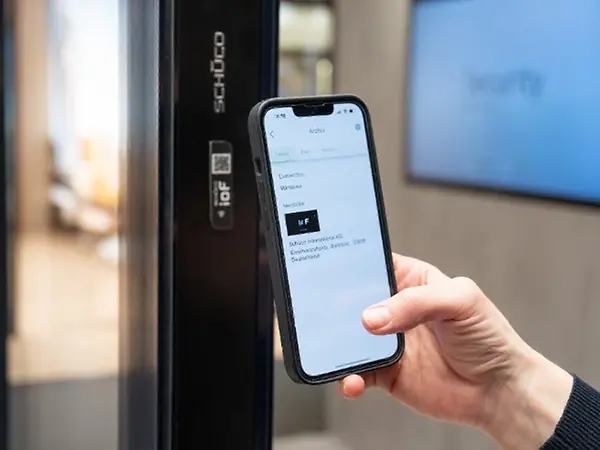
With the trio of IoF ID, IoF Manager and the IoF app, information can be easily assigned to and read from each unit.

It couldn't be simpler

No power supply. No cabling. No control unit.

Serienmäßge_Ausstattung

Serial equipment

The ID can be found in the new design/ as a sticker on all the fittings articles. 

Neuer Inhalt (1)

Components

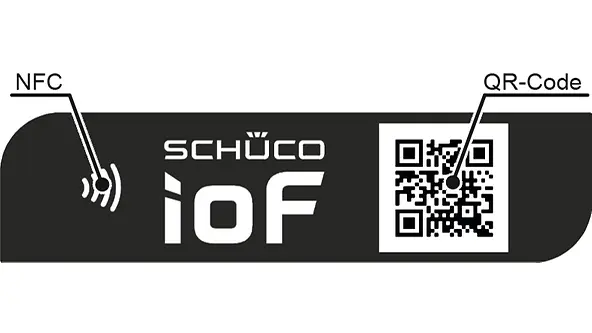
Near Field Communication (NFC) enables contactless data reading via smartphone. The QR code contains a URL and a unique ID that can be read by a smartphone camera.

Installation

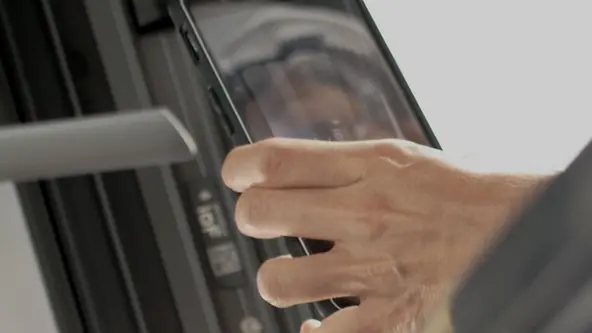
First, select a suitable position, clean it, and then attach the IoF ID – the process is quick and easy.

Neuer Inhalt (1)

One app, two uses

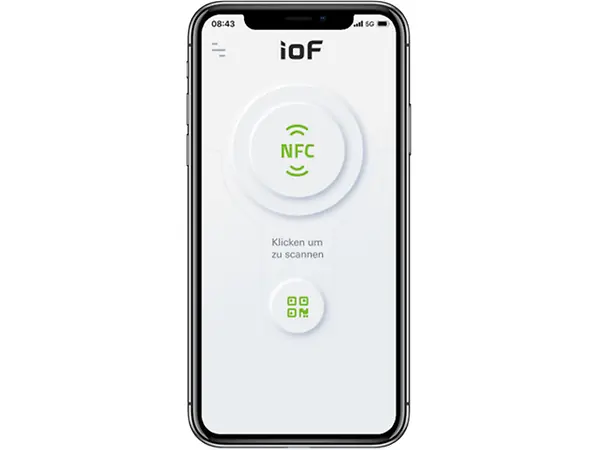
The IoF app can be used for both B2B and B2C customers. The difference is in the login. B2B content can be retrieved via login and the appropriate rights. B2C content can be viewed without logging in.

Owner of the ID

  • Create a digital unit (digital twin) with basic information
  • Assign the digital unit to a building/project
  • Save the installation and acceptance date
  • Create and view service requests
  • All of the information and documents for a unit can be viewed

External users

  • Unit information relevant for the end customer, such as location, acceptance date, etc.
  • Create service requests
  • Link to the Schüco DocuCenter (area not requiring login)
Handy QR

Additional functions

Offline mode:

  • Link IoF IDs from anywhere
  • Download unit data
  • Synchronise when you come back online

Multi-company access

  • External users
  • Contractor / subcontractors

Mobile web app

  • Specific to the end-user
  • Send service requests without using an app
  • Mobile app required for specialists

Download the IoF app now!

IoF Apps QR
Neuer Inhalt (1)

Browser-based B2B application

The IoF Manager is a browser-based application (for mobile end devices too), intended specifically for B2B customers.

Create buildings / projects

  • Assign units
  • Create new users
  • Add important documents and certificates
  • Create review documents
  • Process service requests

Go directly to the IoF Manager 

Here's how it works
 

Key benefits

Acceptance and documentation

After installation and acceptance, photos of the unit can be taken, for example, and linked with the unit and date. The advantage of this is direct detection if a defect is reported. Simple chain of proof.

A new level of service

With the IoF ID, the service for units is being reimagined. Customers can use the app to submit a service request. The planning of services takes place directly in the office – an on-site appointment is only required for the actual repair work. The stored unit information and service history make it easier to ensure the unit's safe, long-term operation.

Value Up

Starting with the analysis of the existing building and the planning and implementation of the renovation right through to the subsequent operation of the building, Schüco Value Up actively contributes towards increasing the life cycle of the building. IoF offers solutions in all phases of the renovation process.

You can find out more here:
Existing buildings: Schüco Value Up | Schüco

Get to know the Internet of Façades (IoF)

Discover the possibilities and functions of IoF in our videos.

Schüco Academy

At the Schüco Academy, we have compiled all the information you need about IoF and creating a digital twin.  

Schüco Academy: Course
Carbon Control - Gebäude mit den Carbon Bubbles auf schwarzem Hintergrund

Schüco Carbon Control

Find out more about our extensive range of services for the decarbonisation of buildings.

Schüco Carbon Control

Contact & Support

We have specialised, reliable contacts on hand to help you with any questions, problems or suggestions. We look forward to hearing from you and helping you with training and personalised support.

FAQs

What is the Schüco IoF ID?

The IoF ID (Internet of Façades identification) is a compact tag that gives every Schüco window, door, façade or sliding system a unique digital identity. It acts as a digital twin of the building component and stores all the relevant data, documents and service messages throughout its entire service life. This means that all information is digitally accessible and centrally available at all times. The IoF ID can be attached at the factory for new units, but can also be retrofitted to systems that have already been installed.

Why is the Schüco IoF ID beneficial?

The IoF ID optimises the entire life cycle of a building component, from installation and acceptance to service and maintenance. All the important data is stored digitally, making the exchange of information between manufacturers, fabricators, planners and building users easier. As many Schüco products come with this feature as standard, there is no additional effort required during ordering and installation. This makes the introduction of digital twins especially easy and efficient. It also enables transparent and paperless documentation, which minimises errors and improves quality assurance. This contributes to faster processes and sustainable building management.

Can I add my own logo to the IoF ID (co-branding)?

Yes, Schüco offers the option of adding your company logo to the IoF ID, allowing you to customise the branding on the building component. This co-branding increases the visibility of your company directly on the property and identifies you as a competent contact partner for service and maintenance. This not only increases your market presence, but also strengthens customer loyalty, as your contact details are directly linked to the IoF tag. Customers and operators always know who is responsible for the unit. This simplifies service requests and improves response times for maintenance.

What are the IoF app and IoF Manager used for?

The IoF app and IoF Manager form a comprehensive digital system for managing Schüco building components. The app enables specialist partners to create digital twins, manage projects, record installation and acceptance data, and create and track service requests. End customers can use the app to view basic information about their units and also submit service requests, even without registering. The IoF Manager is a browser-based platform that has been specially developed for B2B customers. Here, buildings can be created, IoF IDs assigned, users managed and important documents stored centrally. Together, the app and manager ensure transparent and digital organisation, optimising the service process.

Do I need a special device to read the IoF ID?

No, a special device is not needed to read the IoF ID. The IoF ID is equipped with NFC technology and a QR code, both of which can be read using a standard smartphone. Reading via NFC works contactlessly by holding an NFC-enabled smartphone close to the tag. Alternatively, the QR code can simply be scanned with the camera, which also allows quick access to all saved information. This straightforward operation ensures that all users can easily access the digital data of the unit without additional devices.

How does the IoF ID contribute to sustainability and climate protection?

The IoF ID supports sustainable construction by optimising the maintenance and operation of building components, thereby extending their service life. Digital documentation makes it easier to plan scheduled maintenance, which reduces material wear and energy consumption. In addition, clear labelling enables the return of used materials to the raw material cycle and promotes recycling. This leads to a significantly better use of resources and contributes to reducing CO₂. The IoF ID is therefore an important component of the Schüco strategy for decarbonising buildings, as well as sustainable building management.

Are there any training courses or is there any further information about the IoF ID?

Yes, Schüco provides comprehensive training and information on all aspects of IoF ID. In the Schüco Academy, specialist partners can complete special training courses that cover all relevant aspects of IoF ID and the creation of digital twins. In addition, numerous video tutorials and detailed documentation are available that explain step-by-step how to use IoF ID, the IoF app and the IoF Manager. These services are specifically tailored to the needs of fabricators, planners and decision-makers in the construction industry. This ensures that all those involved can make optimal use of the digital opportunities and benefit from the advantages of IoF ID.