SchüCad basic – Schüco CAD 환경의 탄탄한 시작
정밀 2D 도면과 표준 구조에 최적화된 솔루션입니다. AutoCAD® 기반으로 직관적 인터페이스, SchüCal과의 직접 연동, 최신 자재 라이브러리 접근 등을 제공하여 불필요한 복잡성 없이 빠르고 미래지향적인 계획을 가능하게 합니다.

정밀 2D 도면과 표준 구조에 최적화된 솔루션입니다. AutoCAD® 기반으로 직관적 인터페이스, SchüCal과의 직접 연동, 최신 자재 라이브러리 접근 등을 제공하여 불필요한 복잡성 없이 빠르고 미래지향적인 계획을 가능하게 합니다.

금속 제작을 위한 기본 AutoCAD® 기능

광범위한 CAD 지식 없이도 가능한 간단하고 직관적인 조작

매우 경제적인 올인원 소프트웨어 솔루션

현대적인 2D 설계 솔루션

특수 하드웨어나 추가 도구 없이 사용 가능

SchüCad next나 AutoCAD® 라이선스가 필요하지 않습니다.
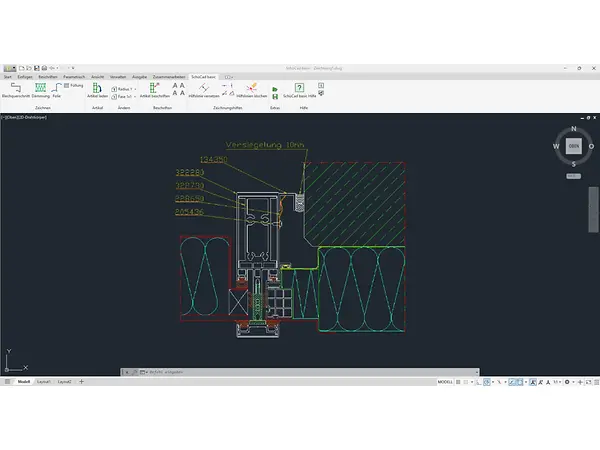
SchüCad basic was designed as a replacement for S-Cad. In addition to the standard functions, the software offers a range of new features and is much more efficient. It's easy to process projects by means of a double click. Parameters such as sheet thickness and bending radius can be amended directly in the dialog box. A new feature of SchüCad basic is the integrated sheet metal cross-section dialog box for composite sheets – a function that was previously only available in SchüCad next . This means that both standard sheet metal cross-sections and composite sheet cross-sections can be created directly in the program.
Users can save individual settings as favourites and use them in other projects – ideal for standardised workflows. Thanks to the uniform user interface and data structure, projects can switch seamlessly between SchüCad basic, SchüCad next and ATHENA Complete |SE . Projects from SchüCad basic are directly identified in ATHENA – without additional conversion or manual amendments. This increases compatibility and reduces coordination time

“SchüCad basic은 Schüco와 함께 디지털 설계를 빠르게 시작할 수 있는 단순하고 비용 효율적인 CAD 솔루션입니다. 정밀한 2D 설계를 제공하고 사용이 직관적이며, SchüCal에 완벽히 최적화되어 있습니다.”
엘마르 베렌스(Elmar Berens), 디지털 컨설턴트, Schüco Digital GmbH
다른 CAD 도구들도 확인해 보세요: