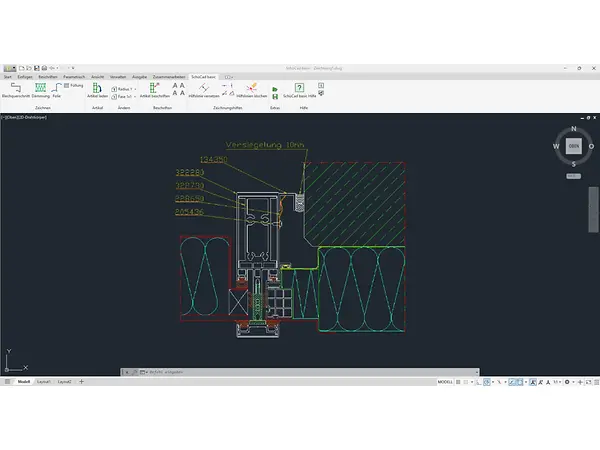
SchüCad basic – A solid start in the Schüco CAD environment

The ideal solution for precise 2D drawings and standard constructions. SchüCad basic is based on AutoCAD® and offers an intuitive interface, a direct interface to SchüCal, access to the latest article data library and much more. Perfect for anyone looking to make quick, future-proof plans, without unnecessary complexity.

The benefits for you at a glance

14_icon-Entscheidung-black

Basic AutoCAD® functions for metal fabrication

14_icon-Entscheidung-black

Simple, intuitive operation – without the need for extensive CAD knowledge

14_icon-Entscheidung-black

Very cost-effective, all-in-one software solution

14_icon-Entscheidung-black

Modern 2D design solution

14_icon-Entscheidung-black

Can be used without special hardware or additional tools

Why do we recommend SchüCad basic over S-Cad?

SchüCad basic was designed as a replacement for S-Cad. In addition to the standard functions, the software offers a range of new features and is much more efficient. It's easy to process projects by means of a double click. Parameters such as sheet thickness and bending radius can be amended directly in the dialog box. A new feature of SchüCad basic is the integrated sheet metal cross-section dialog box for composite sheets – a function that was previously only available in SchüCad next . This means that both standard sheet metal cross-sections and composite sheet cross-sections can be created directly in the program.

Users can save individual settings as favourites and use them in other projects – ideal for standardised workflows. Thanks to the uniform user interface and data structure, projects can switch seamlessly between SchüCad basic, SchüCad next and ATHENA Complete |SE . Projects from SchüCad basic are directly identified in ATHENA – without additional conversion or manual amendments. This increases compatibility and reduces coordination time


“With SchüCad basic, we offer a straightforward, cost-effective CAD solution to get started quickly in digital planning with Schüco. The software enables precise 2D designs, is intuitive to use and is perfectly tailored to SchüCal.”

Elmar Berens, Digital Consultant, Schüco Digital GmbH

Our CAD portfolio

Discover our other CAD tools:

Contact & Support

We have specialised, reliable contacts on hand to help you with any questions, problems or suggestions. We look forward to hearing from you and helping you with training and personalised support.

Good to know

You can find more information on our CAD tools, and in particular installation instructions and software downloads, in My Workplace.